Untracker App Icon

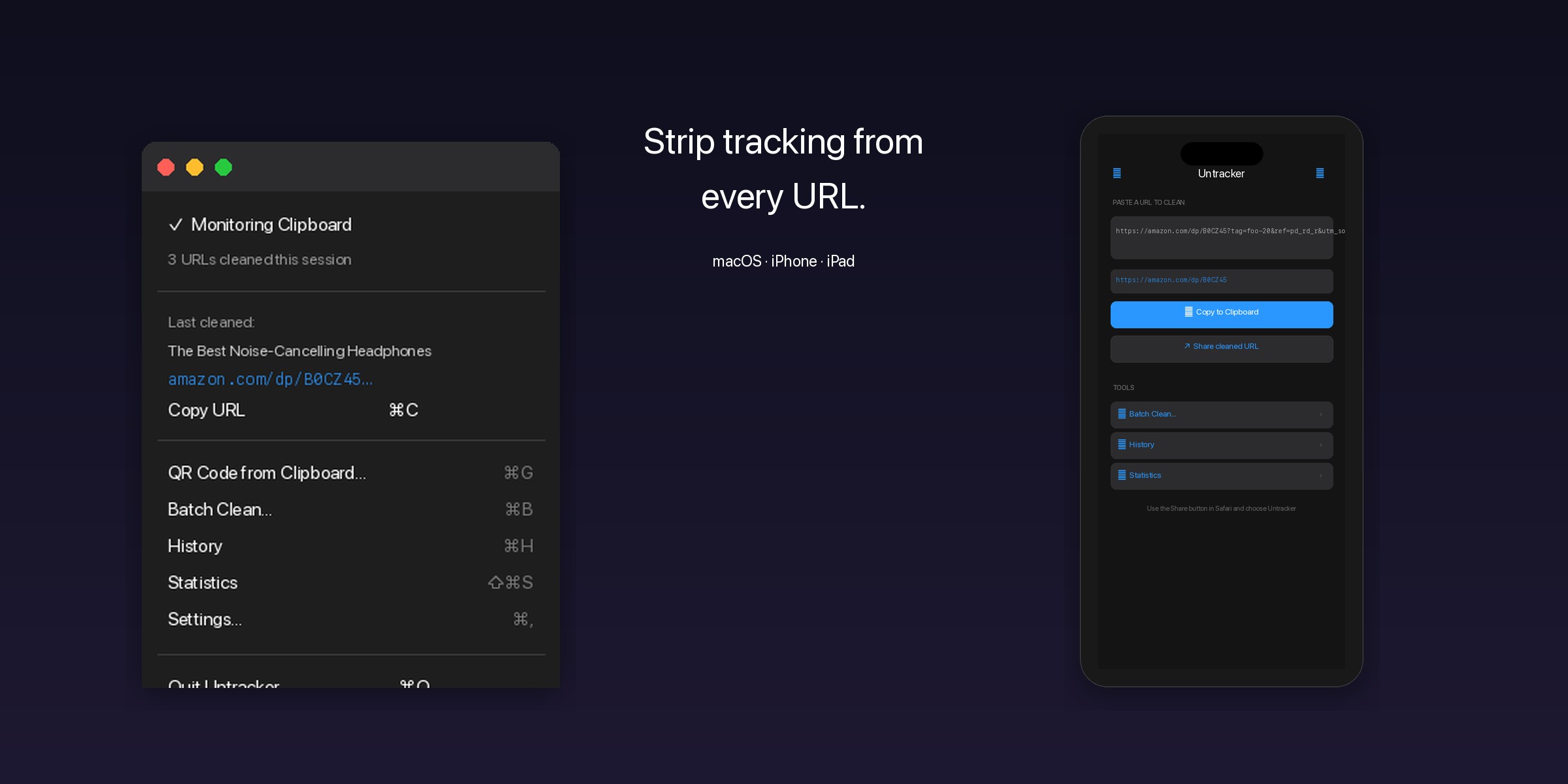
Strip tracking from
every URL.

Untracker automatically removes tracking parameters from URLs you copy. On your Mac, on your iPhone and iPad, silently and instantly.

$0.99 · Universal Purchase · Buy once, get it on Mac, iPhone & iPad

Before
https://www.amazon.com/dp/B09V3KXJPB?tag=foo-20&ref=pd_rd_r&utm_source=newsletter&utm_medium=email&fbclid=abc123
After
https://www.amazon.com/dp/B09V3KXJPB

Everything you need.
Nothing they want.

Untracker removes the invisible baggage that companies attach to every link you share.

🛡️

200+ Providers

Powered by the ClearURLs community database. Google, Amazon, Facebook, YouTube, Spotify, TikTok, LinkedIn, Reddit and many more — covered out of the box.

📋

Clipboard Monitor

On macOS, Untracker lives in your menu bar and silently cleans every URL you copy. No extra steps, no interruptions.

🔗

Redirect Unwrapping

Extracts real URLs from tracking redirects like Google's /url?q=, AMP links, Facebook's l.php, and URL shorteners like bit.ly and t.co.

📱

Share Extension

Clean URLs directly from Safari or any app's share sheet on iPhone and iPad. Tap share, tap Untracker, done.

📊

Statistics

Track how many URLs you've cleaned, characters saved, top domains, most removed trackers, and daily activity over the last 30 days.

⚙️

Custom Rules

Define your own cleaning rules with regex patterns. Import and export rule sets as JSON. Your rules are checked first — your intent always wins.

☁️

iCloud Sync

Settings and custom rules sync across all your devices via iCloud with CRDT conflict resolution. Edit on your Mac, see it on your iPhone or iPad — and vice-versa.

🔲

QR Codes

Generate a QR code for every cleaned URL. Copy it to the clipboard or save it as a PNG — perfect for sharing clean links offline.

📦

Batch Cleaning

Paste dozens of URLs and clean them all at once with concurrent processing. Available on macOS, iPhone, and iPad.

🔔

Notifications

Get a system notification when a URL is cleaned, showing the domain and which tracking parameters were removed. Silent delivery, configurable on/off.

🌐

Rich History

History entries show page titles and website favicons for easy browsing. Tap any cleaned URL to open it directly in your browser.
How it works.

Three simple steps. Zero effort after setup.

1

Install

Download Untracker from the App Store. On macOS, it sits in your menu bar. On iPhone and iPad, it's a lightweight app with a Share Extension.

2

Copy

Copy any URL as you normally would. On macOS, Untracker monitors your clipboard automatically. On iPhone and iPad, use the Share Extension.

3

Share

Paste the URL anywhere. All tracking parameters have been stripped. The link works exactly the same — without the surveillance.

Your data stays yours.

No analytics

Untracker contains zero analytics, zero telemetry, zero tracking. The irony would be too much.

No server

Everything runs locally on your device. URLs are never sent anywhere. History stays on your Mac, iPhone, or iPad.

One-time purchase

Pay once, use forever. No subscriptions, no in-app purchases, no ads. $0.99 gets you the Mac, iPhone, and iPad app — one Universal Purchase.

Speaks your language.

Available in 17 languages.

العربية中文 (简体)中文 (繁體)Nederlands EnglishFrançaisDeutschItaliano 日本語한국어Polski PortuguêsРусскийEspañolSvenska TürkçeУкраїнська

See it in action.

Clean links on your Mac, iPhone, and iPad.

View all screenshots →

Untracker

Start sharing clean links.

$0.99 · Universal Purchase · Mac, iPhone, and iPad.